
HDC
Click HDC in the left sidebar to manage HDC graphs and algorithms in the database.
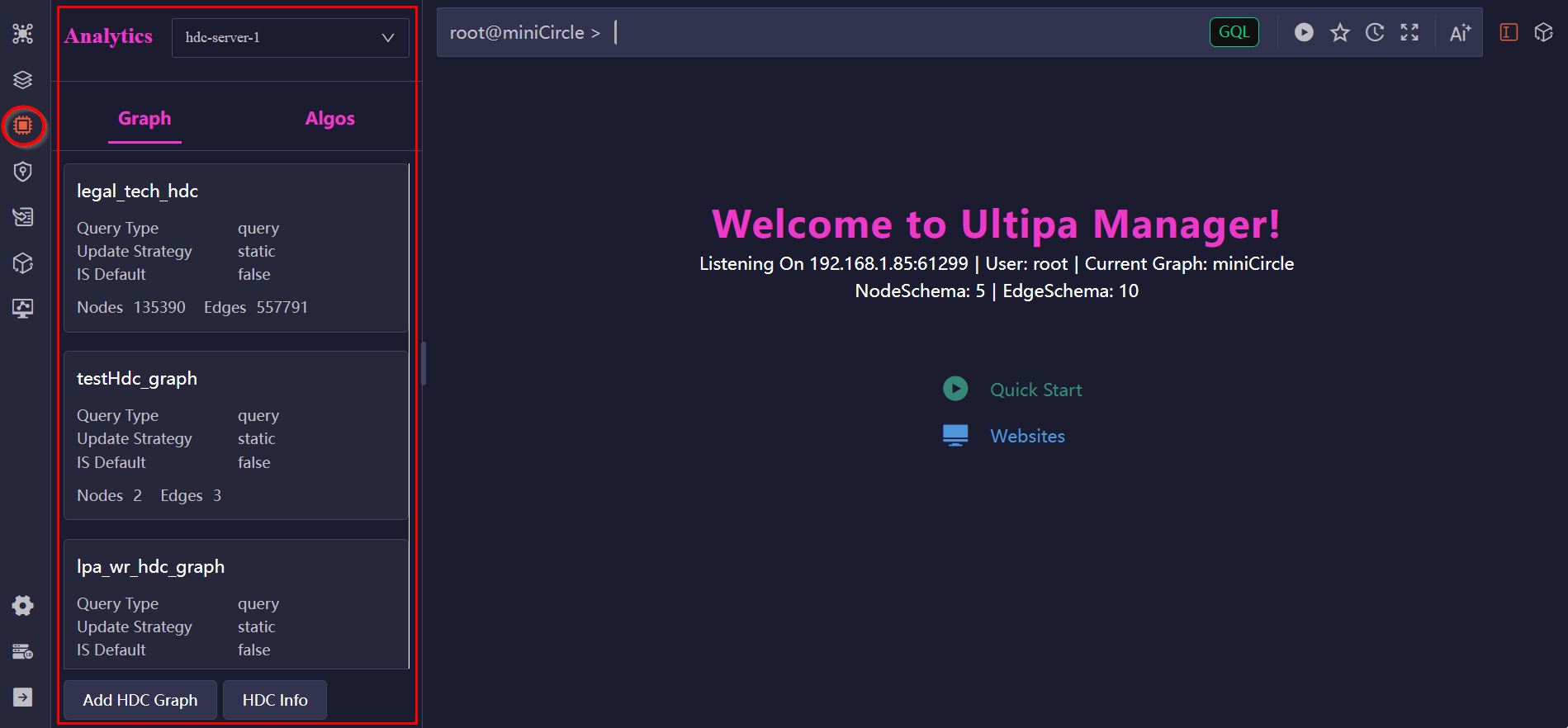
To use this module, HDC (High-Density Computing) servers must be deployed for the databases. You can switch between HDC servers using the dropdown menu at the top. Each HDC server maintains its own set of graphs and algorithms independently.
HDC Graphs
An HDC graph resides in the memory of the HDC server and contains all or part of the data loaded from a graph. You can manage HDC graphs for the selected server in the Graph tab.
Create HDC Graph
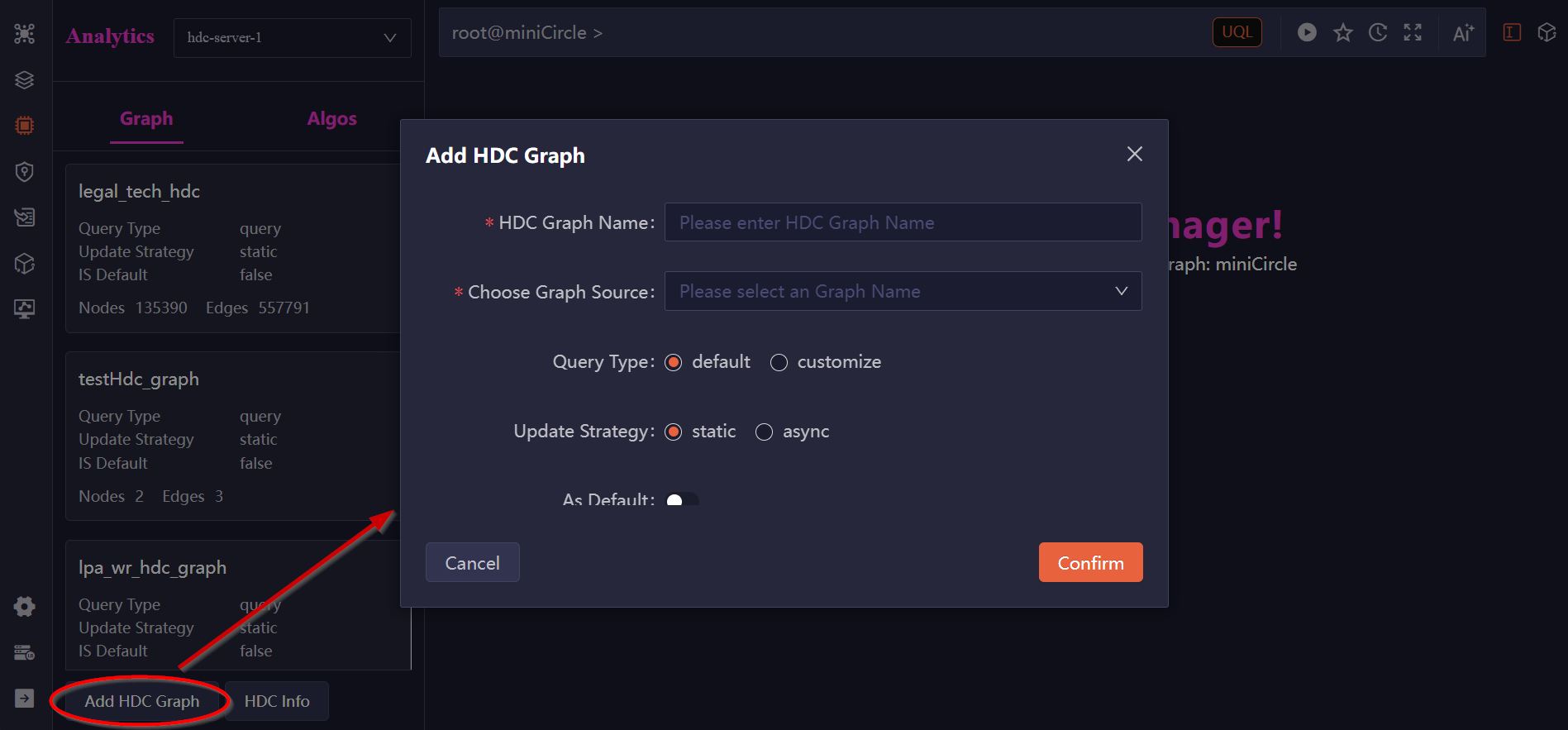
Click the Add HDC Graph button to add an HDC graph with the following options:
- HDC Graph Name: The name of the HDC graph. Names must be unique among HDC graphs hosted on the same server.
- Choose Graph Source: Select the original graph from which nodes and edges will be loaded.
- Update Strategy: Specifies the data synchronization mode.
static: Changes made to the original graph will not be reflected in the HDC graph.dynamic: Insertions, updates, and deletions in the original graph will be synchronized to the HDC graph.
- As Default: Set this HDC graph as the default for the selected original graph.
- Customize Schema: Choose which node and edge schemas to include and specify the properties to load.
View HDC Graph
Click an HDC graph in the list to view the schemas and properties of the nodes and edges it contains.
Delete HDC Graph
Click the Delete icon on an HDC graph card to remove it from the selected HDC server.
HDC Algorithms
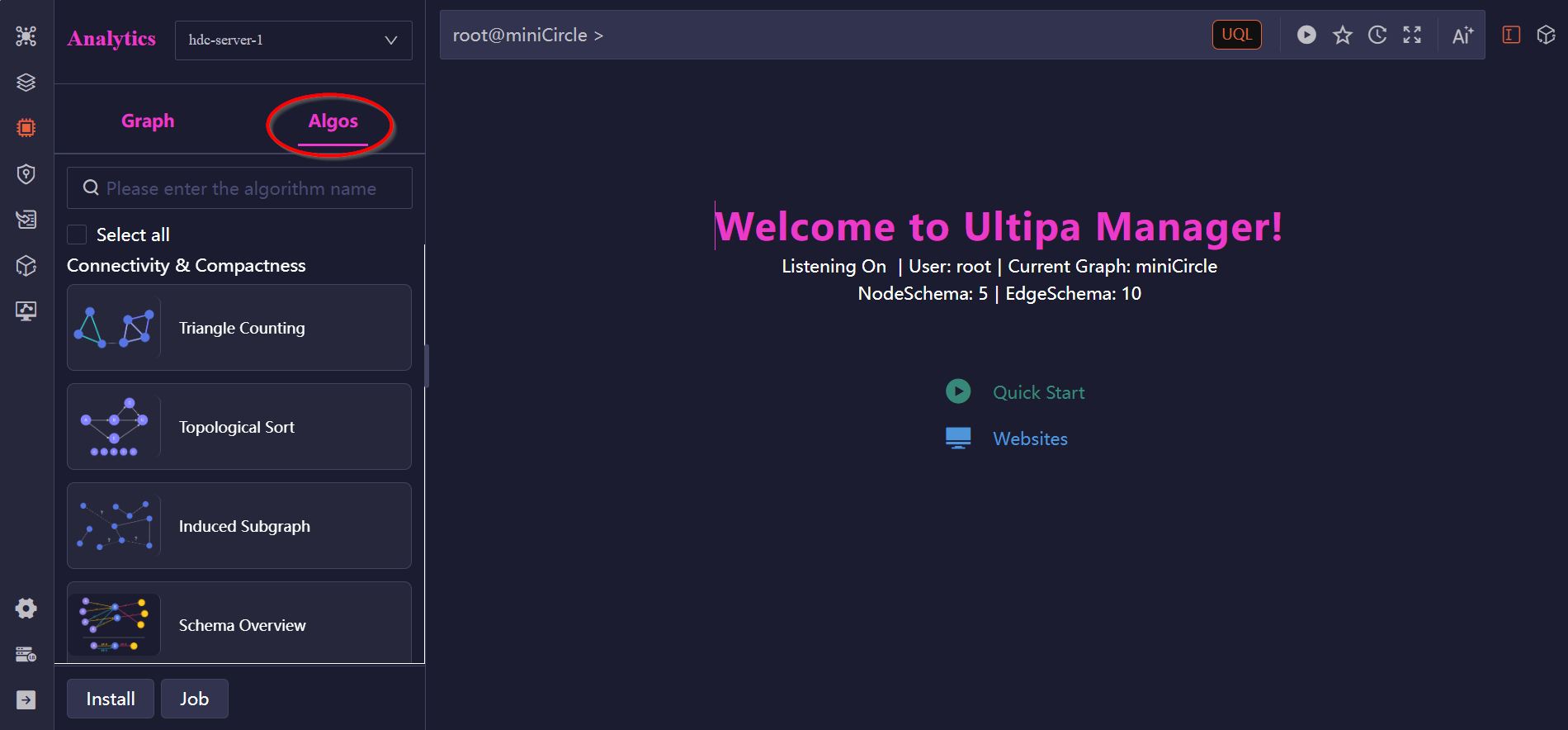
Ultipa provides a suite of algorithms that can be installed on HDC servers. These algorithms are hot-pluggable, allowing you to add or remove them seamlessly without interrupting ongoing database operations. Once installed, they can be executed on HDC graphs.
You can manage HDC algorithms for the selected server in the Algo tab:
Install Algorithm
Click the Install button to install HDC algorithms. Each algorithm requires an installation file (.so) and a configuration file (.yml) for proper setup. To obtain algorithms, please contact us at [email protected].
Run Algorithm
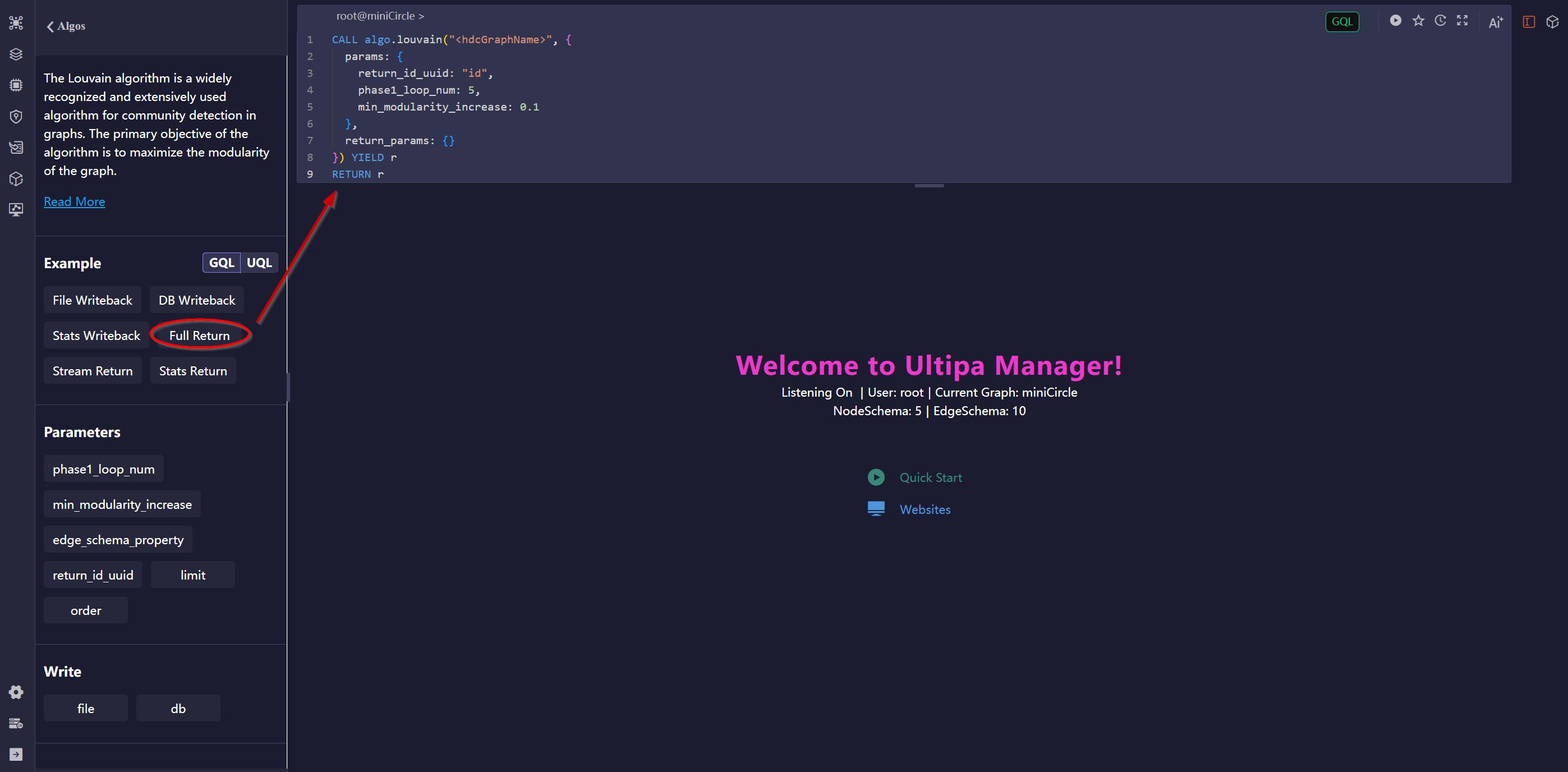
Click an algorithm in the list to view its details, including introduction, parameters, writeback options, and executable GQL and UQL examples. Click on an example to automatically populate the Editor with the corresponding query. Be sure to replace <hdcGraphName> in the query with your target HDC graph before executing it.
Uninstall Algorithm
Click the Delete icon on an HDC algorithm card to remove it from the selected HDC server.