
Settings
Access the Settings of Ultipa Manager after connecting to an instance:
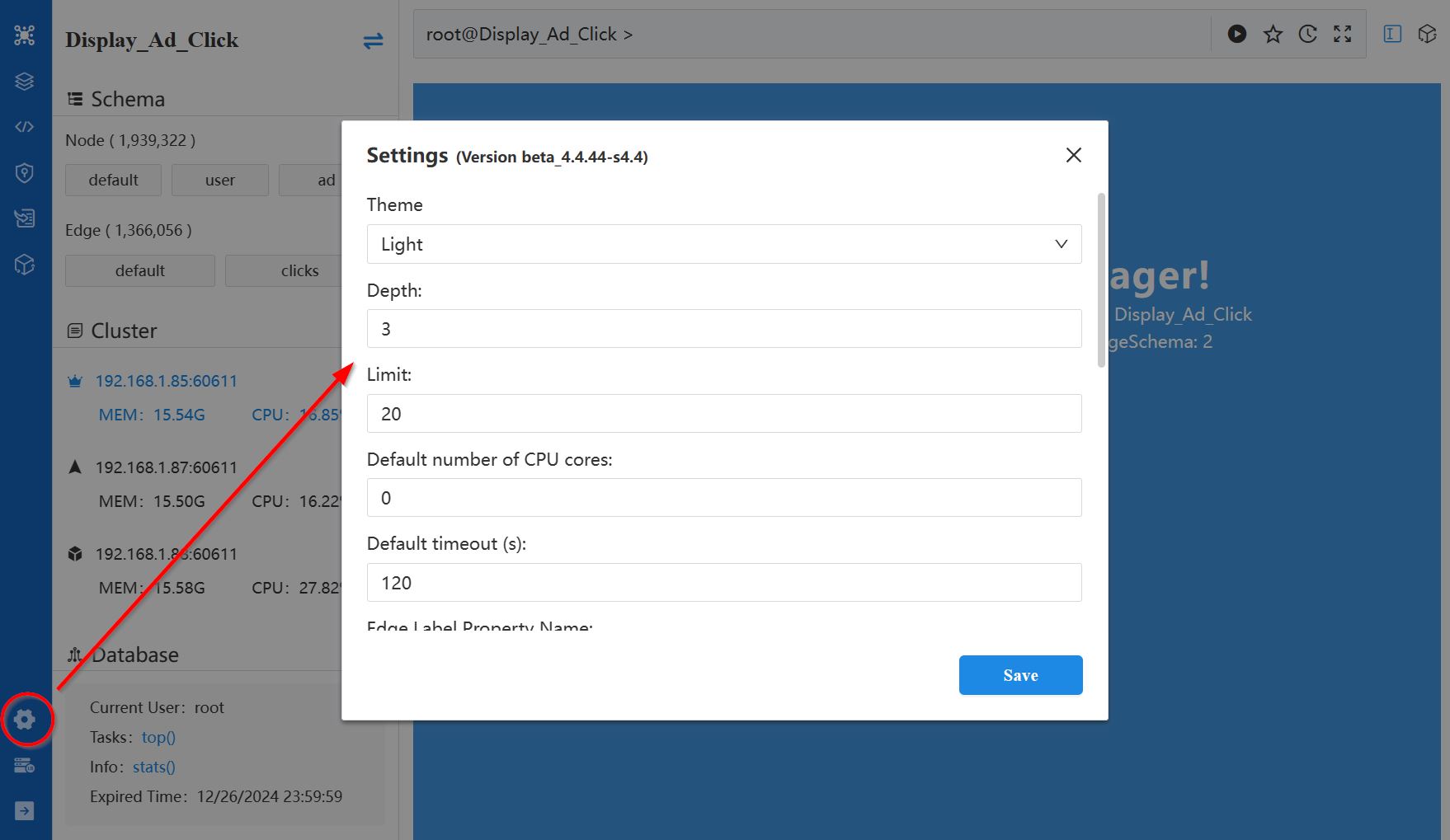
The settings include:
- Version: Version of Ultipa Manager
- Theme: Choose between Dark or Light.
- Depth: Set the default depth when spreading from a node. The default is 3.
- Limit: Set the default number of paths to return when spreading from a node. The default is 20.
- Default number of CPU cores: Specify the number of CPU cores to use. The default is 0, which means all available cores.
- Default timeout (s): Set the timeout threshold in seconds for Ultipa Graph to return a timeout response. The default is 60.
- Edge Label Property Name: Specify the default property to use as the edge label. If edges do not have this property, UUID is used instead. The default is name.
- Node Label Property Name: Specify the default property to use as the node label. If nodes do not have this property, ID is used instead. The default is name.
- Timezone: Select the timezone to convert timestamps to date and time. Default is the timezone of your browser.
- Time Format: Select the format for displaying all time values, including the timestamp and datetime properties and other UI elements.
- Language: Select the language of the interface.
- Watermark: The entered text will be tiled in Ultipa Manager as a background watermark.
- Welcome Title: Set the browser tab title for Ultipa Manager pages, which is also used as the title in the Welcome page.
- Favicon Link: Set the browser tab favicon for Ultipa Manager pages