
Execution Plan
Overview
When a GQL query is submitted to Ultipa, it first undergoes parsing to validate its syntax. Once parsed, the query is passed through an optimization phase where Ultipa evaluates potential execution strategies based on the current state of the database.
Ultipa’s query optimizer selects the most efficient execution plan by considering factors like data distribution, indexing, and potential bottlenecks. This execution plan outlines the optimal sequence of operations, minimizing resource consumption and improving query performance.
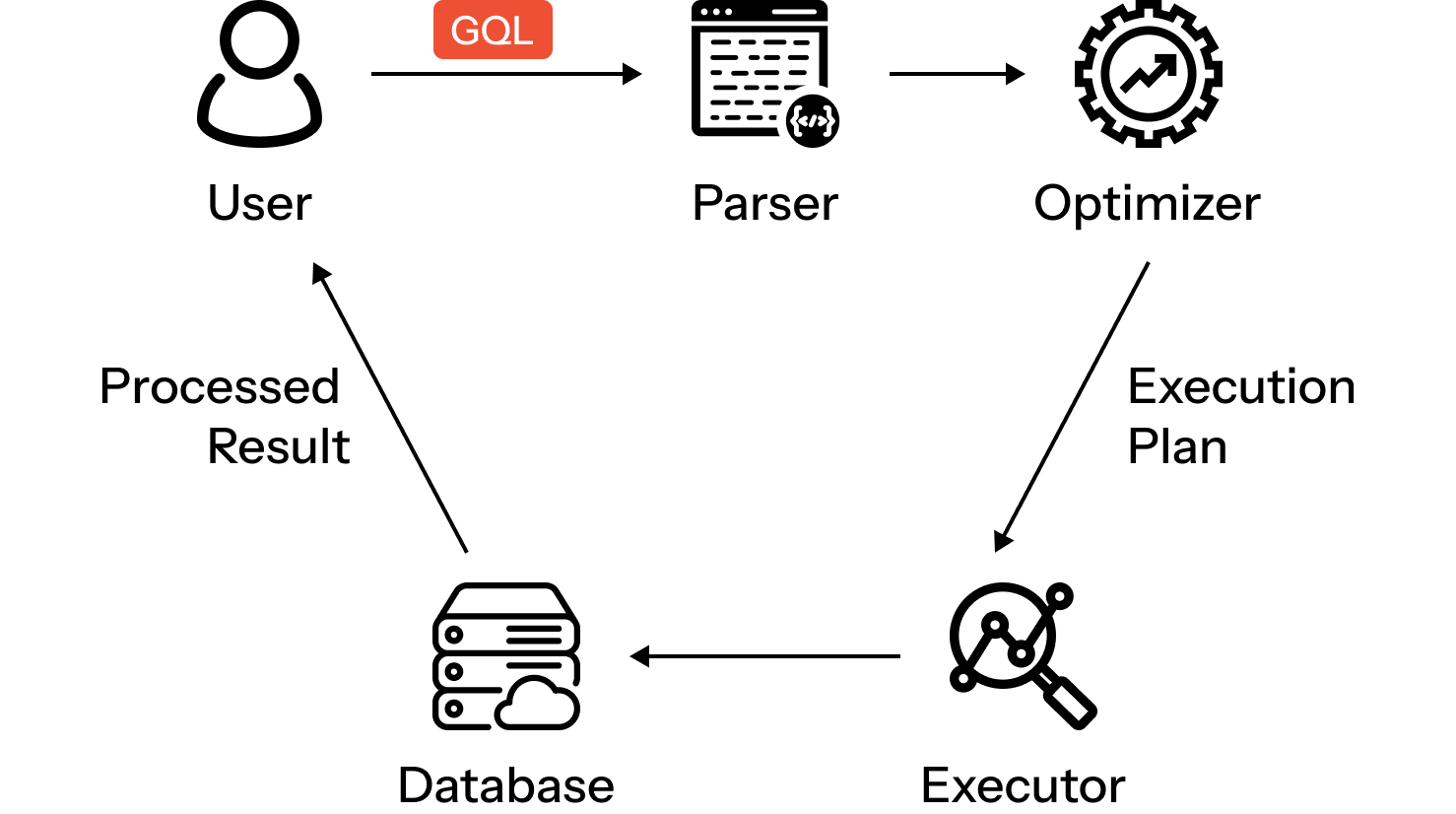
Lifecycle of a GQL query
To examine the execution plan of a query, prefix it with either EXPLAIN or PROFILE.
EXPLAIN
The EXPLAIN generates the execution plan for a query without actually running it. It provides a detailed tree of execution operators that outlines the steps the query engine will take to retrieve the desired results.
GQLEXPLAIN
MATCH (n:account)
RETURN n.name
LIMIT 10
The output is a structured representation of the execution plan, often referred to as _explain.
_explainReturn{expr:[n.name]  row_type:n.name:STRING}
->    With{exprs:[n_2  as  n],row_type:n:  NODE}
        ->    Limit{limit:10,phase:DEFAULT,row_type:n_2:  NODE}
                ->    NodeSearch{alias:n_2,access_method:{condition:@account,index_name:schema,query_type:SK_SCHEMA_SCAN},row_type:n_2:  NODE}
PROFILE
PROFILE runs the query and returns both the query results and a profile_info table. This table includes details such as the execution operators used, the number of rows each operator produces, the time cost of each step, and the number of database hits.
GQLPROFILE
MATCH (n:account)
RETURN n.name
LIMIT 10
Sample profile_info output:
| level | op_name | op_id | time_cost | rows | db_hits |
|---|---|---|---|---|---|
| --1 | RETURN | 1 | 17μs | 121 | 0 |
| ----2 | WITH | 2 | 8μs | 121 | 0 |
| ------3 | LIMIT_SKIP | 3 | 1μs | 121 | 0 |
| --------4 | NODE_SCAN | 4 | 440μs | 121 | 243 |
The db_hits column shows the number of storage engine reads made by each operator. This metric reflects logical I/O rather than physical disk operations — cached reads are still counted. Operators that only process in-memory data (e.g., RETURN, LIMIT_SKIP) report 0 db_hits.