
Import from RDF
This page demonstrates the process of importing data from RDF file(s) into a graph in Ultipa. Supported RDF formats include N-triples, Turtle and RDF/XML.
NOTEThe following steps are demonstrated using a Turtle file and executed in PowerShell (Windows).
Prepare RDF File
Click to download the example RDF file in .ttl format:
Generate the Configuration File
Open the terminal program and navigate to the folder containing ultipa-importer. Then, run the following command and select rdf to generate a sample configuration file for RDF:
Bash./ultipa-importer --sample

A file named import.sample.rdf.yml will be generated in the same directory as ultipa-importer. If the file already exists, it will be overwritten.
Modify the Configuration File
Customize the import.sample.rdf.yml configuration file based on your specific requirements. It includes the following sections:
mode: Set tordf.rdf: Specify the RDF file path and its format.server: Provide your Ultipa server details and specify the target graph (new or existing) for data import.settings: Set global import preferences and parameters.
import.sample.rdf.yml# Mode options: csv/json/jsonl/rdf/graphml/bigQuery/sql/kafka/neo4j/salesforce
mode: rdf

# RDF configurations
rdf:
  # The file path on local machine
  file: "./UltipaGraph.ttl"
  # RDF format: choose from ntriples/turtle/rdfxml
  format: "turtle"

# Ultipa server configurations
server:
  # Host IP/URI and port; if it's a cluster, separate multiple hosts with commas
  host: "10.11.22.33:1234"
  username: "admin"
  password: "admin12345"
  # The new or existing graph for data import
  graphset: "myGraph"
  # If the above graph is new, specify the shards where the graph will be stored
  shards: "1,2,3"
  # If the above graph is new, specify the partition function (Crc32/Crc64WE/Crc64XZ/CityHash64) used for sharding
  partitionBy: "Crc32"
  # Path of the certificate file for TLS encryption
  crt: ""

# Global settings
settings:
  # Path of the log file
  logPath: "./logs"
  # Number of rows included in each insertion batch
  batchSize: 10000
  # Import mode: upsert
  importMode: upsert
  # Stops the importing process when error occurs
  stopWhenError: false
  # Set to true to automatically create new graph, schemas and properties
  yes: true
  # The maximum threads
  threads: 32
  # The maximum size (in MB) of each packet
  maxPacketSize: 40
  # Timezone for the timestamp values
  # timeZone: "+0200"
  # Timestamp value unit, support ms/s
  timestampUnit: s
Execute Import
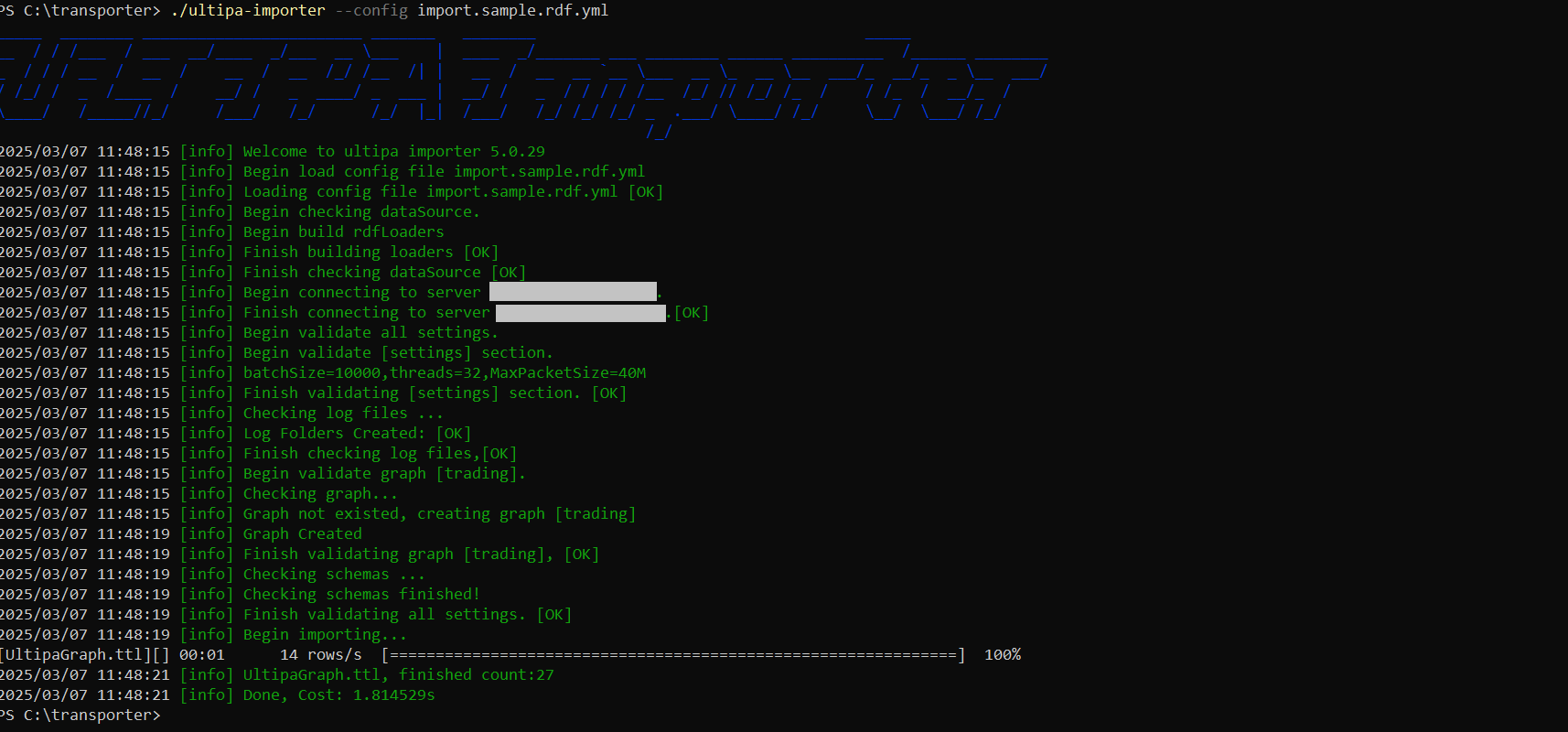
Execute the import by specifying the configuration file using the --config flag:
Bash./ultipa-importer --config import.sample.rdf.yml
Mapping Rules
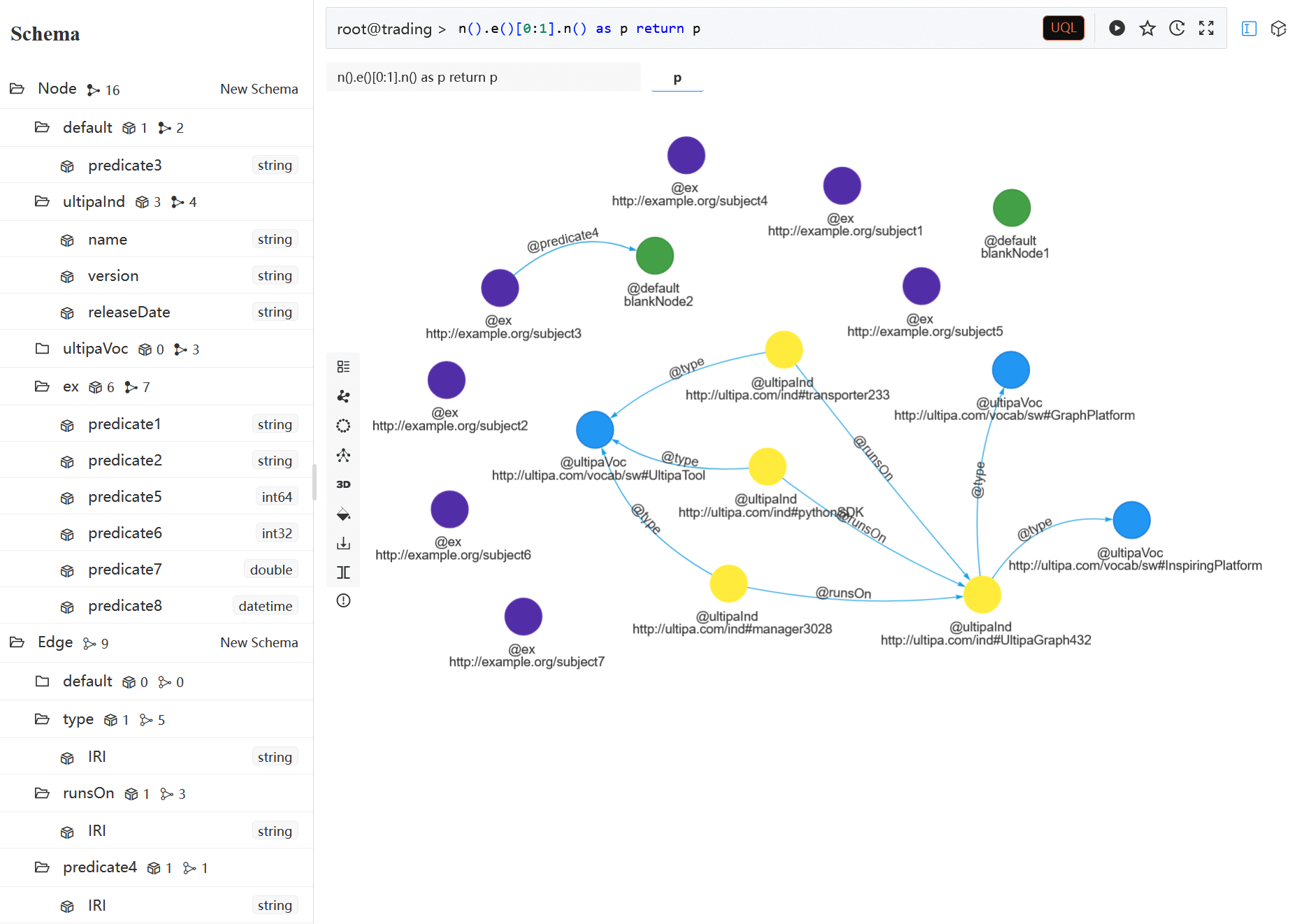
- Subjects are mapped to nodes.
- Predicates are mapped:
- To node property names when the objects are literals.
- To edges when the objects act as subjects in other triples.
- Objects are mapped to property values if they are not subjects in other triples.
- Node schemas are set according to the subject prefix, with the following considerations:
- Blank subjects, treated as blank nodes, are inserted into the
defaultschema.- Subject without a prefix are assigned schema names starting from
ns0, with subsequent schemas incrementing sequentially (e.g.,ns1,ns2, etc.).
- Subject without a prefix are assigned schema names starting from
- Blank subjects, treated as blank nodes, are inserted into the
- Edge schemas are set according to the predicate prefix.
- If the schema name is shorter than 2 characters, the system will duplicate it for schema creation (e.g., the schema
ais duplicated asaa).