
Migrator
Ultipa Migrator is a cross-platform command line tool used for migrating or copying an entire graphset or portions of it across different Ultipa Graph instances or within the same instance.
Prerequisites
- A command line terminal that is compatible with your operating system:
- Linux or MacOS: bash, zsh, tcsh.
- Windows: PowerShell.
- A version of Ultipa Migrator (Windows/MacOS/Linux) compatible with your operating system.
Examples given in this manual are demonstrated in PowerShell on Windows.
Prepare the Configuration File
Generate the sample
Bash./ultipa-migrator.exe -sample
The config.yml file will be generated in the same directory as ultipa-migrator.exe. If a config.yml file already exists in that directory, it will be overwritten.
Modify configuration file
The content of the sample config.yml file is as follows, modify it according to your needs.
config.yml# Source server configuration
from:
  hosts: 192.168.1.xx:60061
  username: root
  password: root
  graph: SourceGraphName

# Target server configuration
to:
  hosts: 192.168.2.xx:60061
  username: root
  password: root
  graph: TargetGraphName

# Migrate data by UQL (optional)
# Supported return types: NODE, EDGE, PATH
uql: ""

# Other settings
normal:
  batchsize: 10000
  threads: 10
  # The maximum time (in seconds) allowed to copy data of one schema
  timeout: 3000
  # If true, LTE-ed properties in the source graphset will also be loaded to memory in the target graphset
  lte: true
  # If true, indexes and full-text indexes in the source graphset will also be created on disk in the target graphset
  index: true
Source server configuration
Key: from
Subkey | Type | Description |
|---|---|---|
hosts | String | IP address or URL of the source database; in case of a cluster, only one server node needs to be specified |
username | String | Database username |
password | String | Password of the above user |
graph | String | Name of the source graphset to be copied |
Target server configuration
Key: to
Subkey | Type | Description |
|---|---|---|
hosts | String | IP address or URL of the target database; in case of a cluster, only one server node needs to be specified |
username | String | Database username |
password | String | Password of the above user |
graph | String | Name of the target graphset to be created; ensure that the specified name does not exist in the target database |
Migrate data by UQL
Key | Type | Description |
|---|---|---|
uql | String | Copy only the data (nodes/edges/paths) returned by the given UQL statement; all data to be migrated if not set |
Example:
config.yml# Migrate data by UQL (optional)
# Supported returned types: NODE, EDGE, PATH
# Migrate only 100 nodes whose schema is user
uql: "find().nodes({@user}) as nodes return nodes{*} limit 100"
Note that the complete graph structure (including all schemas and properties) will still be created for the target graphset.
Other settings
Key: normal
Subkey | Type | Default | Description |
|---|---|---|---|
batchsize | Integer | 10000 | Number of data in each batch, ranging from 1~100000. For value that exceeds the range, the system will set it to 5000. |
threads | Integer | 10 | The maximum number of threads, ranging from 4~2*(CPU cores). For value that exceeds the range, the system will set it to the number of CPU cores. |
timeout | Integer | 3000 | The maximum time (in seconds) allowed to copy data of one schema, ranging from 10~10800. For value that exceeds the range, the system will set it to 10800. |
lte | Bool | true | If true, LTE-ed properties in the source graphset will also be loaded to memory in the target graphset. |
index | Bool | true | If true, indexes and full-text indexes in the source graphset will also be created on disk in the target graphset. |
Execute Migration
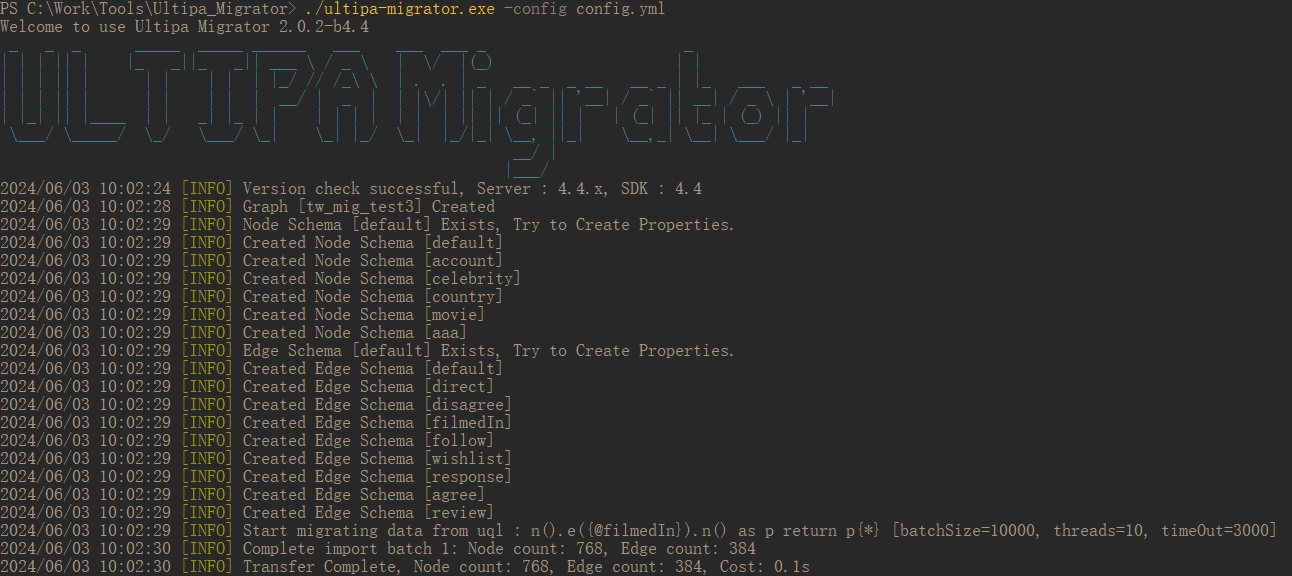
The migration runs based on the configuration file specified by the -config parameter, which is supposed to create a new graphset in the target server and copy the structure and data from the source graphset.
Migrate using a configuration file (e.g., config.yml) saved in the same directory:
Bash./ultipa-migrator.exe -config config.yml
Migrate using a configuration file (e.g., migrate0212.yml) saved in another directory:
Bash./ultipa-migrator.exe -config C:\Users\johndoe\Desktop\migrate0212.yml
Generate Graph and Structure Creation UQLs
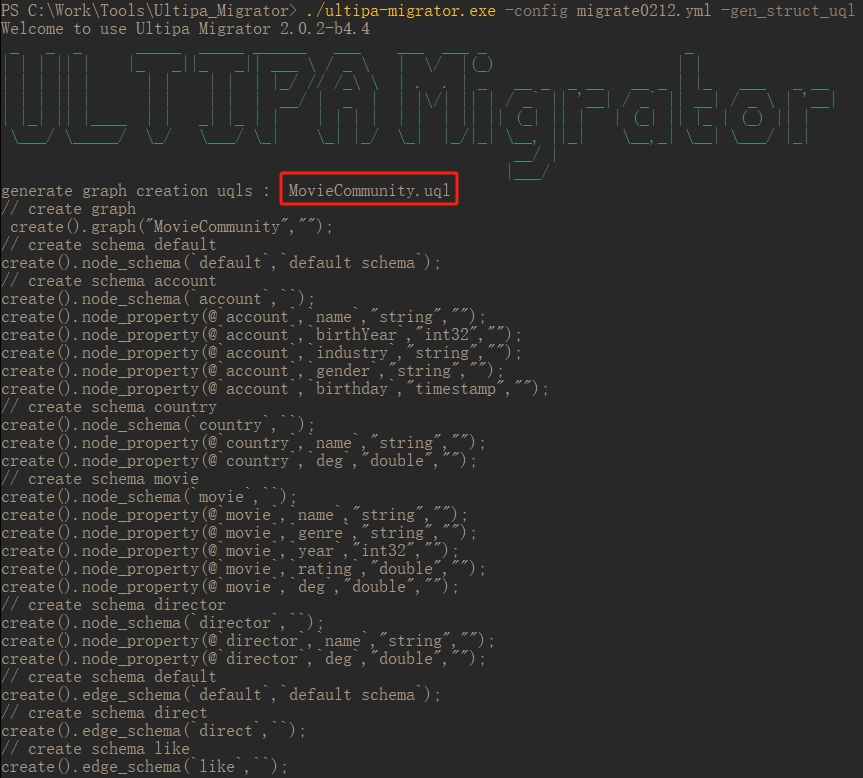
Bash./ultipa-migrator.exe -config migrate0212.yml -gen_struct_uql
A .uql file will be generated and saved in the same directory as ultipa-migrator.exe, containing all the UQL statements for creating the source graphset and its structure (schemas and properties) specified in the configuration file. Migration is not performed when using the -gen_struct_uql parameter.
Show Version
Bash./ultipa-migrator.exe -version

Show Help
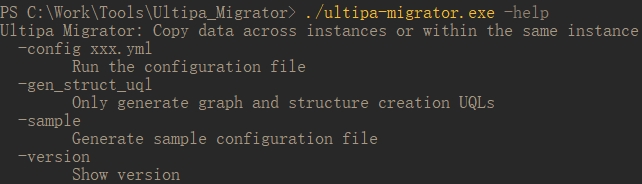
Bash./ultipa-migrator.exe -help
Parameters
Parameter | Description | Required |
|---|---|---|
-config | Execute commands according to the configuration file | Yes for executing data migration and generating graph and structure creation UQLs |
-gen_struct_uql | Generate the UQLs to create the graphset and its structure (schemas and properties) | No |
-sample | Generate a sample configuration file named config.yml, saved in the same directory as ultipa-migrator.exe | No |
-version | Show version of the ultipa-migratort.exe | No |
-help | Show help information | No |