
Deployer
NOTEThis article introduces the minimum procedure of using Ultipa Deployer to deploy Ultipa HTAP cluster. For deployment without Ultipa Deployer please refer to Deployment Procedure.
Hardware Requirement
- Minimum 3 nodes
- Network connection between nodes, it is suggested that all nodes in one cluster are arranged on the same network segment
- All nodes can be accessed by client (application backend, or Ultipa Manager)
- CPU & Memory depends on the project or testing requirements
Software Requirement
- There is ssh permission between current server and target server
- When target server connects user remotely through ssh, it must have the write permission on WORK_PATH directory in the configuration file
- Docker CE 19+ or equivalent Docker EE installed on target server
- There is ultipaServer image package on current server
- There is ultipaServer license on current server
Deployment Procedure
- Generate configuration file template
Bash./ultipa-deploy -g
- Modify configuration file according to the instruction in the file
Bashmv example_config.yaml config.yaml

vim config.yaml
- Upload offline docker image described in LOCAL_IMAGE_TAR to all target servers, and execute
docker load
Bash./ultipa-deploy -c config.yaml -o loadtar
- Check the environment beforehand to see if it meets the deployment requirement
Bash./ultipa-deploy -c config.yaml -o check
- Start deployment
Bash./ultipa-deploy -c config.yaml -o deploy
- Check deployment status
Bash./ultipa-deploy -c config.yaml -o list
- Stop the cluster as described in the configuration file when needed
Bash./ultipa-deploy -c config.yaml -o stop
- Start the cluster as described in the configuration file when needed
Bash./ultipa-deploy -c config.yaml -o start
License Update
- Upload server license described by LOCAL_LICENSE to path LICENSE_ON_REMOTE_SERVER in the target server, the old license will be renamed for back up
Bash./ultipa-deploy -c config.yaml -o uplic
- Restart server license in the path LICENSE_ON_REMOTE_SERVER
Bash./ultipa-deploy -c config.yaml -o relic
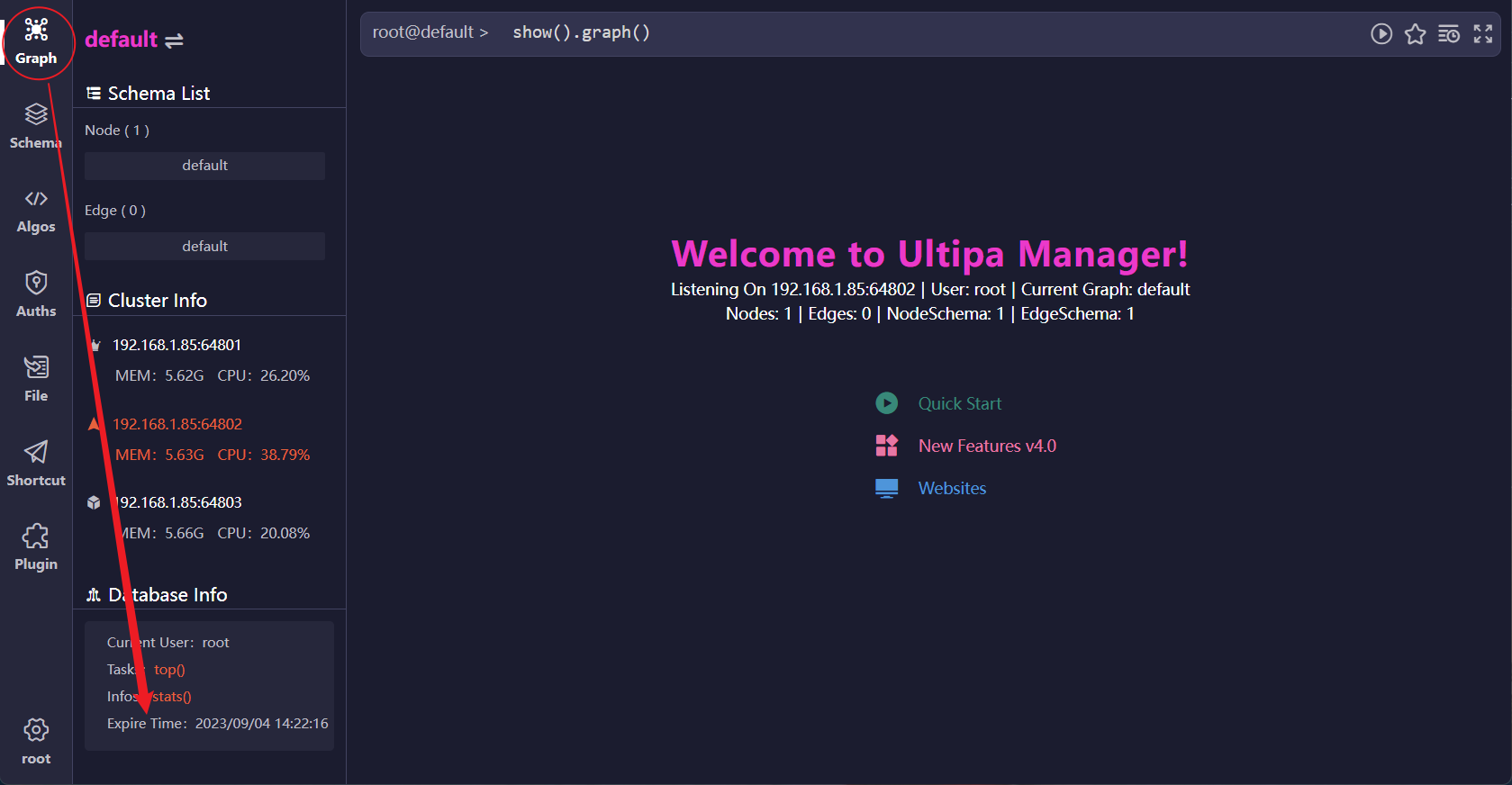
- In Ultipa Manager, login the cluster that just had license replaced, click the menu Graph and check the expire time of the license under Database Info
Startup Options
Option | Explanation |
|---|---|
| -h | Show help |
| -c | Specify configuration file |
| -g | Generate configuration file template |
| -l | If cannot connect target server remotely through ssh, use this option to create shell deploy script locally, then upload the deploy script to server, execute bash deploy.sh to deploy manually Note!! This way of deployment will skip all checks, thus should not be used if ultipa-server is available |
| -f | Skip the checks and enforce the deployment This can cause unpredictable consequences for clusters that already exist, and this option is suggested only to be used in development or testing environment |
| -o loadtar | Upload offline docker image as described in LOCAL_IMAGE_TAR to all target servers and execute docker load |
| -o deploy | Deploy ultipa-server cluster from scratch |
| -o check | Check the environment of target server beforehand to see if it meets the requirements detailed in the configuration file, such as port conflicts, docker container duplicated names, etc. |
| -o list | List the clusters as described in the file, other containers will be filtered out so will not display |
| -o stop | Stop the cluster as described in the configuration file |
| -o start | Start the cluster as described in the configuration file |
| -o update | Execute update after modifying IMAGE_TAG in the configuration file will use the new image to restart the cluster. If the described image either not exist on target server or cannot be downloaded from image server, offline image should be uploaded by loadtar in advance |
| -o uplic | Upload license to target server, the old license will be renamed and backed up. Refer to options LOCAL_LICENSE and LICENSE_ON_REMOTE_SERVER in the configuration file |
| -o relic | Restart server license as described in LICENSE_ON_REMOTE_SERVER Note: this is not to re-upload license |
Configuration File
YAML# The local path to store license, used by '-o uplic'

LOCAL_LICENSE:

# Path of target server to store license, '-o uplic' uploads local license to this location, '-o deploy' copies this license to docker

LICENSE_ON_REMOTE_SERVER: "/home/ultipa/license/ultipa.lic"

# Whether to upload this yaml configuration file to the WORK_PATH directory on server, any old version yaml configuration file will be renamed

SAVE_THIS_CONFIG_TO_REMOTE_SERVER: true

# Full description of the docker image to be deployed

IMAGE_TAG: localhost:beta.4.0.118-b4.0.0

# Offline docker image saved locally. When target server cannot connect to docker image repository, '-o loadtar' can upload this offline image to server and execute 'docker load'

LOCAL_IMAGE_TAR: beta.4.0.118-b4.0.0.tar.gz

#LOCAL_IMAGE_TAR: /data1/abc/a.tar.gz

# Only 4.x ultipa-server is supported

ULTIPA_SERVER_VERSION: 4


# Variables that begin with G_ are global variables. Global variable will be used if the specific server variable is empty

# Public port of ultipa-server

G_PUBLIC_PORT: 61510

# HTAP port of ultipa-server

G_PRIVATE_PORT: 61511

# Name of docker container

G_SERVER_NAME: ultipa-61510

# Map directory of ultipa-server

G_WORK_PATH: "/data1/docker_mounts/ultipa-61510"

# ssh remote connection user of target server, this user must have write permission on WORK_PATH directory

G_SSH_USER: root

# Port for ssh remote connection

G_SSH_PORT: 22

# ssh remote connection verified by password

G_SSH_PASSWORD:

# ssh remote connection verified by key

G_SSH_PRIVATE_KEY_PATH: id_rsa

# This can be left empty

G_CONFLINE:


# FULL_HOST_LIST is an array, the example gives description of only one target server, copy and modify for multiple target servers

FULL_HOST_LIST:

  - PRIVATE_IP: 192.168.56.101	# Private IP of target server

    SERVER_ID:					# SERVER_ID will be sequentially filled if left empty

    SERVER_ROLE: 1				# Must be filled, refer to the attached table for role definition

    SSH_USER:					# Use G_SSH_USER if it is empty

    SSH_PORT:					# Use G_SSH_PORT if it is empty

    SSH_IP:						# Use PUBLIC_IP if it is empty

    SSH_PASSWORD:				# Use G_SSH_PASSWORD if it is empty

    SSH_PRIVATE_KEY_PATH: 		# Use G_SSH_PRIVATE_KEY_PATH if it is empty

    HOST_LISTEN_IP: 			# IP for ultipa-server to provide service externally, by default is 0.0.0.0

    PUBLIC_IP:					# Use PRIVATE_IP if it is empty

    PUBLIC_PORT:				# Use G_PUBLIC_PORT if it is empty

    PRIVATE_PORT:				# Use G_PRIVATE_PORT if it is empty

    SERVER_NAME:				# Use G_SERVER_NAME if it is empty

    WORK_PATH:					# Use G_WORK_PATH if it is empty

    CONFLINE:					# This can be left empty
| Server Role | Definition |
|---|---|
| 0 | Consistency Read scenario with unreadable followers |
| 1 | Load Balance Ready scenario with readable followers |
| 2 | Algo node but excluded from Load Balance Ready and cannot be elected as leader; the number of algo nodes in a cluster cannot exceed half |
| 3 | Algo node eligible for Load Balance Ready |
| 4 | backup node excluded from election and only for data synchronization |