CLI
This manual covers the usage of Ultipa CLI, a cross-platform command line tool for running UQL and operating Ultipa Graph Database.
Prerequisites
- A command line terminal that is compatible with your operating system:
- Linux or MacOS: bash, zsh, tcsh
- Windows: PowerShell
- A version of Ultipa CLI compatible with your operating system (Version 4.x.x is recommended for the best experience in Graph Blaze)
NOTESign up for an Ultipa Account in order to access Ultipa Download Centre, remove download restrictions if popped by your browser in order to continue the download process.
Operation Procedure
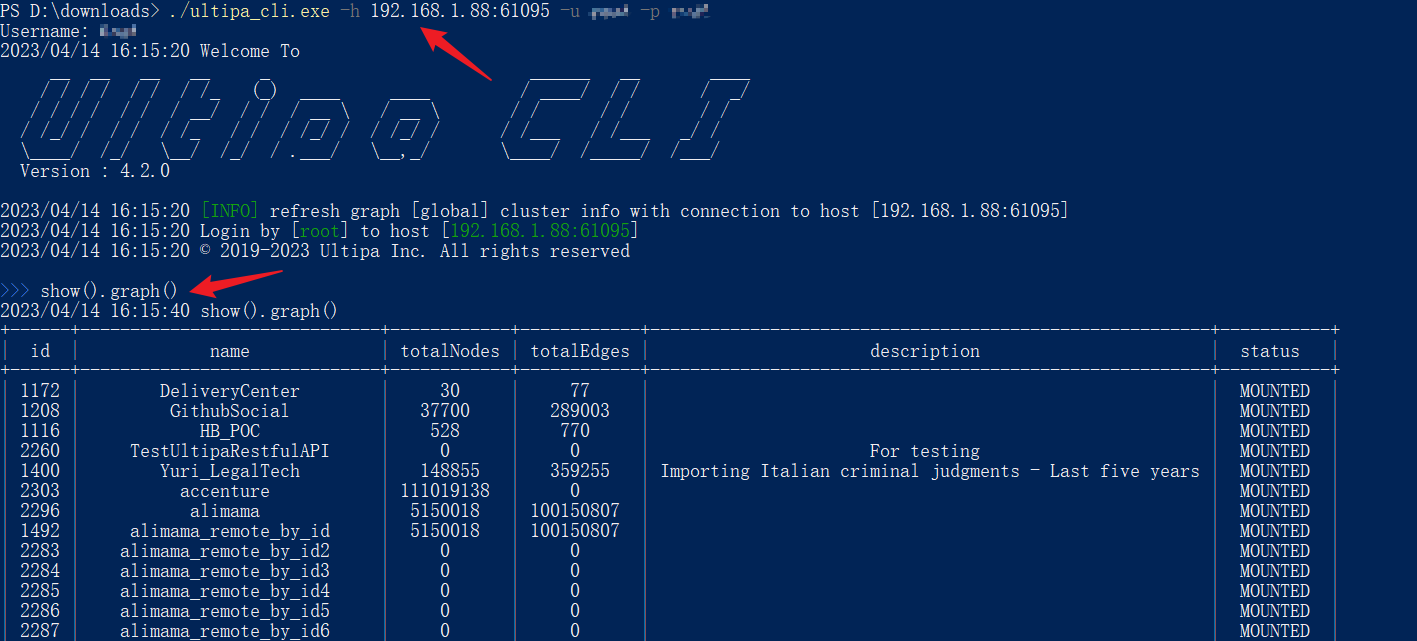
- Get server connection (in PowerShell on Windows, the same below)
Bash./ultipa_cli.exe -h 192.168.1.88:61095 -u user1 -p 12dfa36
- Send UQL (refer to Ultipa Query Language Guide)
Bashshow().graph()
- Switch graphset ('alimama' for example)
Bashuse alimama
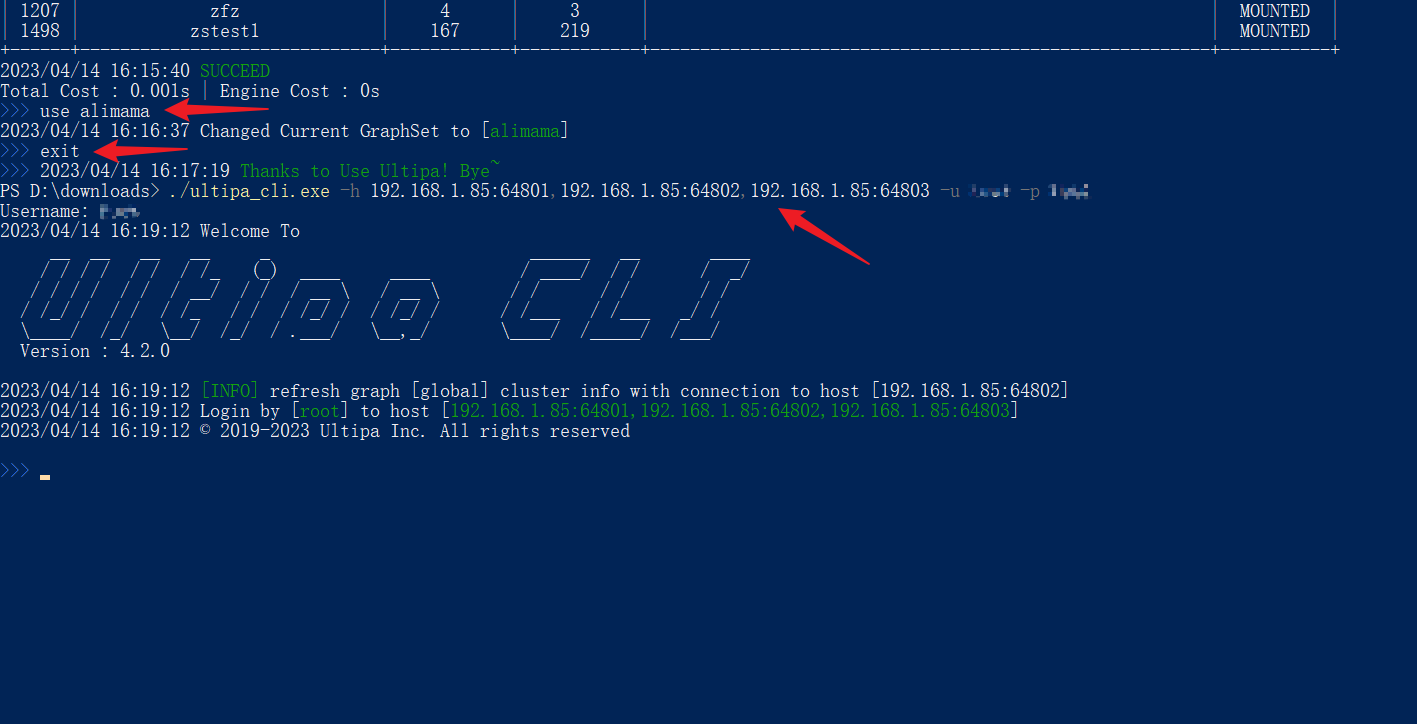
- Switch server connection
Bashexit

./ultipa_cli.exe -h 192.168.1.85:64801,192.168.1.85:64802,192.168.1.85:64803 -u user1 -p 12dfa36